Step 1 — Homepage
Description:
“Users begin on the Nexus Dynamics homepage and initiate contact by clicking the ‘Call Now’ button.”

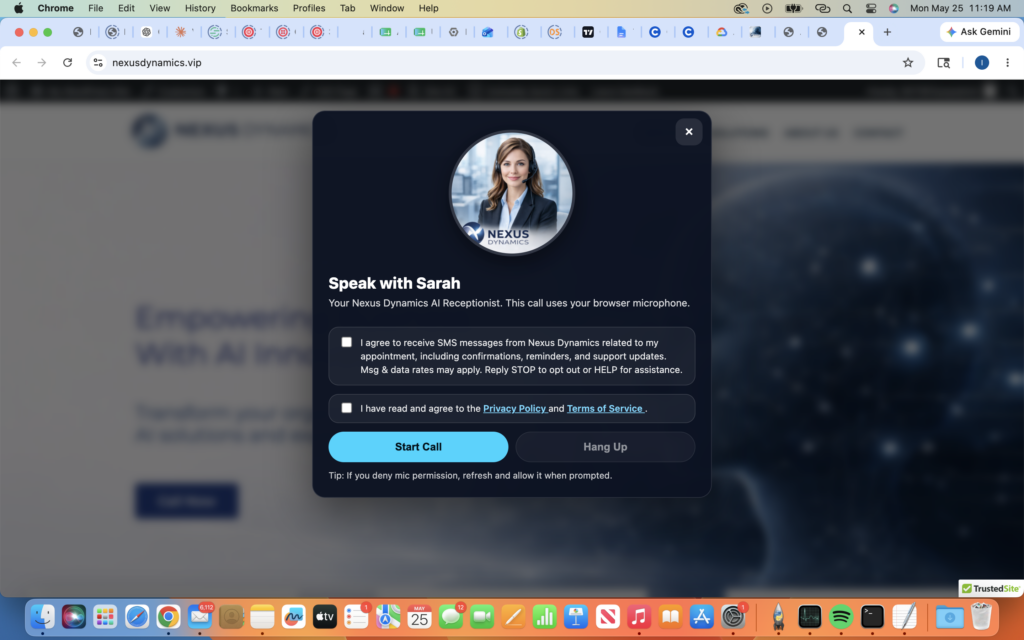
Step 2 — Consent Modal Appears
Description:
“Before a call can begin, users are presented with two unchecked consent checkboxes.”
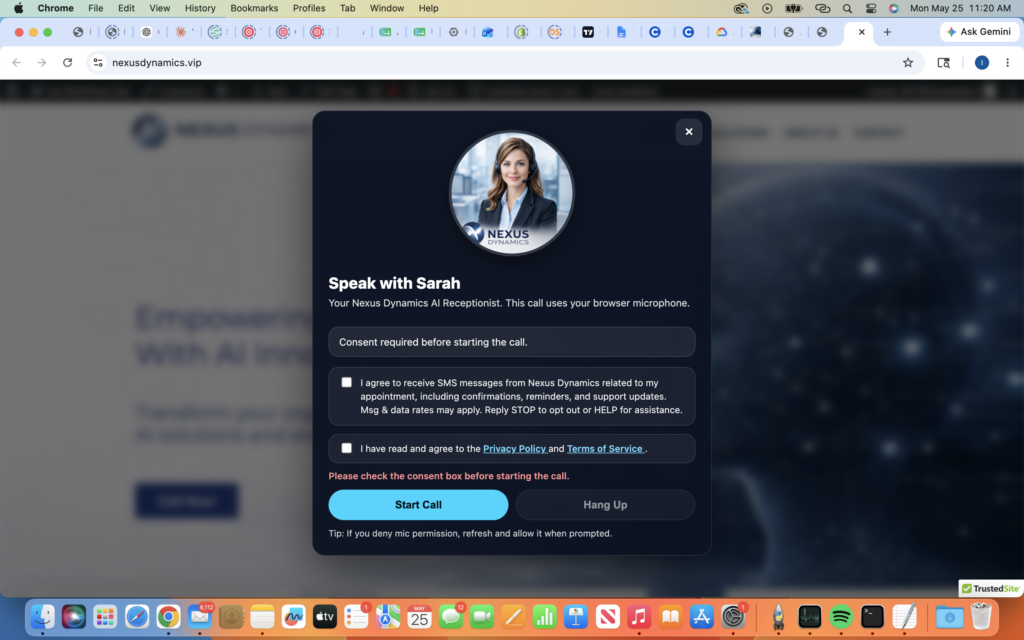
Step 3 — Consent Required Validation
Description:
“If users attempt to begin the call without checking the consent boxes, the system blocks the action and displays a consent-required message.”
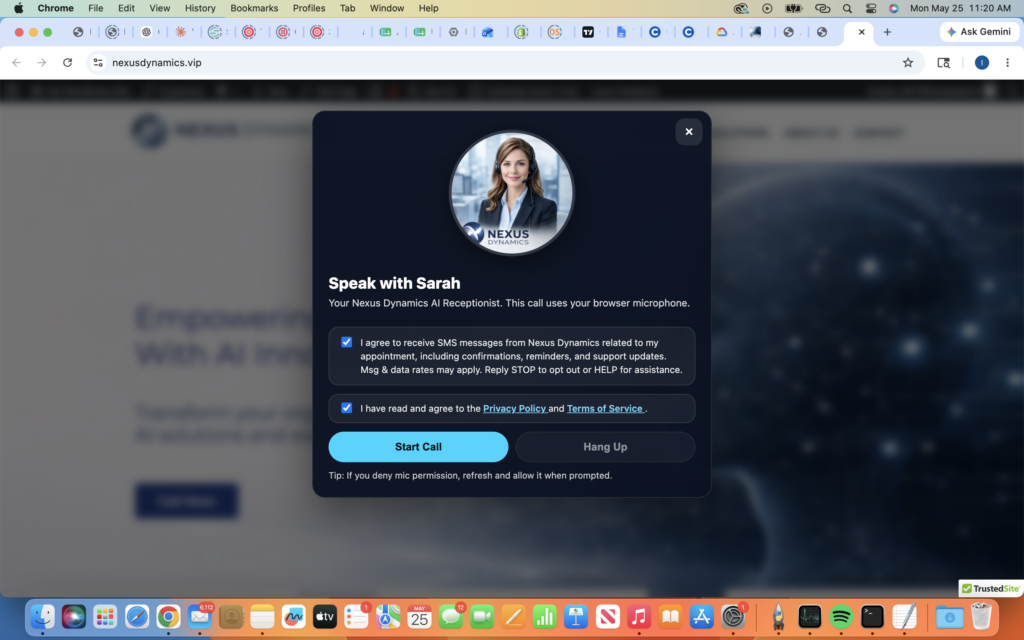
Step 4 — User Grants Consent
Description:
“Users must actively check both boxes before proceeding:
- SMS consent checkbox
- Privacy Policy and Terms acknowledgment checkbox”
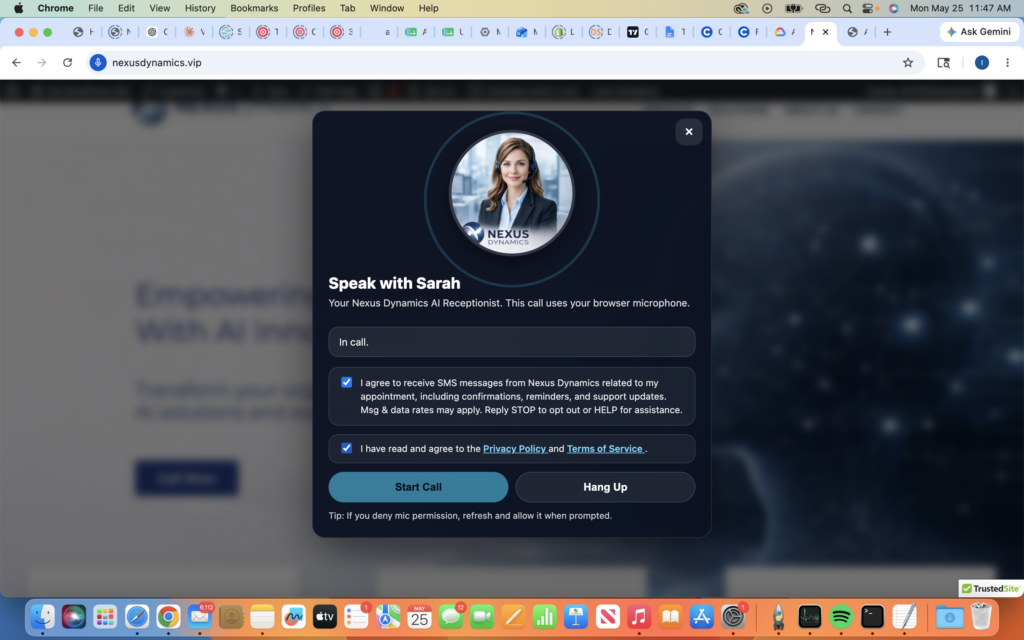
Step 5 — Call Begins
Description:
“After consent is granted, the user may proceed with the call.”